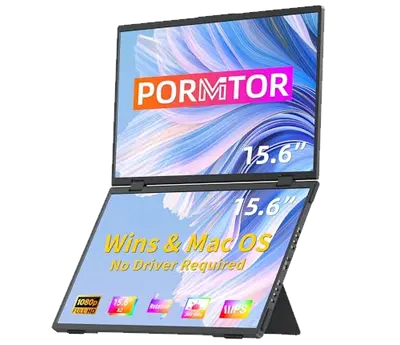
Stacked Dual Monitor 15.6-inch
Folds flat at 11.8×7.6×0.4 inches; two stacked 15.6-inch panels, three USB-C ports
- 11.8 × 7.6 in
- 0.5 lb
Pornitor makes six models on this page, split between clip-on laptop screen extenders (five) and one standalone portable monitor. They differ mainly in screen count, with single, dual and triple setups, and in panel size, 14-inch or 15.6-inch. Yes, the name is a mash-up of portable and monitor.
The extenders attach to a laptop lid and add one or more panels beside or above it. The 14-inch models are listed for 14"–15.6" or 14"–16.5" laptops, depending on the model. The Touchscreen Portable Monitor is a separate 15.6-inch screen with its own cover, built to sit on a desk or table.
Three questions decide the choice: how many extra screens you want, whether your laptop's USB-C port carries video (DisplayPort Alt Mode), and whether you also need HDMI. Mac owners should read the chip notes carefully, since the maker says only Pro and Max chips support split screen.
Independent guide. Not the official Pornitor site.
These two models add more than one extra panel to a laptop. The Stacked Dual Monitor folds two 15.6-inch screens into a stack, and the Z140 Triple Extender is a 14-inch triple setup with 1080p IPS panels.
The Stacked Dual Monitor lists 11.8×7.6×0.4 inches and 0.5 Pounds, and has three USB-C ports. The Z140 is for 14"–15.6" laptops. On a Mac, the maker says two USB-C cables are needed for split screen on the stacked model.
Folds flat at 11.8×7.6×0.4 inches; two stacked 15.6-inch panels, three USB-C ports
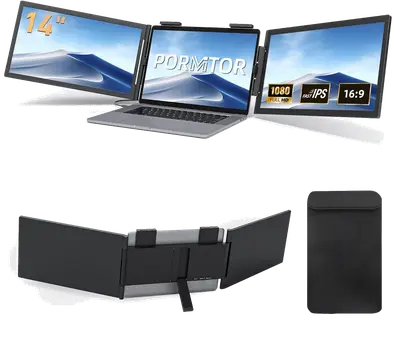
Triple 14-inch panels for 14"–15.6" laptops over a single USB-C cable on Windows
Both models pair a second 14-inch 1080p IPS panel with a laptop lid. They accept a video signal over USB-C, and both also offer an HDMI route for laptops whose USB-C port lacks DisplayPort Alt Mode.
The C140 comes with a protective sleeve and takes USB-C or HDMI, with a power cable needed for HDMI. The Z140Y21D uses mini HDMI or Type-C, rotates 250°, and fits 14"–16.5" laptops, a wider range than the C140.
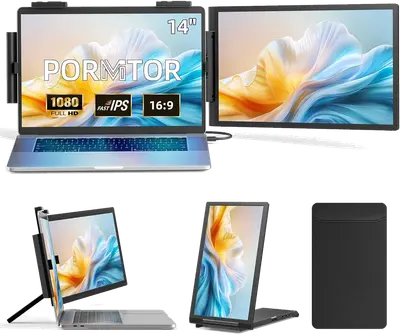
USB-C or HDMI input, protective sleeve included, for 14"–15.6" laptops
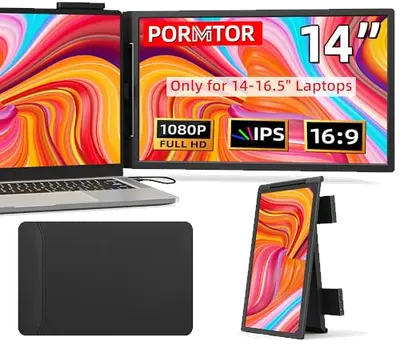
Fits 14"–16.5" laptops, 250° rotation, mini HDMI or Type-C, 0.2×9.7×13.7 inches
These two models each provide one 15.6-inch panel. One clips onto a laptop, while the other stands alone with a touch panel, so they suit different desks and different habits.
The Z156Y21D Single Extender is for 14"–15.6" laptops and lists 0.2×9.7×13.7 inches. The Touchscreen Portable Monitor has two Type-C ports, one mini-HDMI port, 10-point touch and dual speakers. The maker says iPhone, iPad and gaming devices do not get touch.
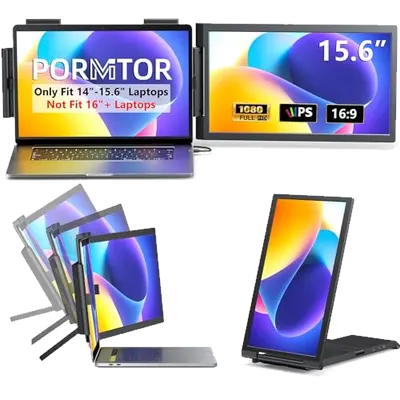
Single clip-on 15.6-inch panel, 0.2×9.7×13.7 inches, for 14"–15.6" laptops
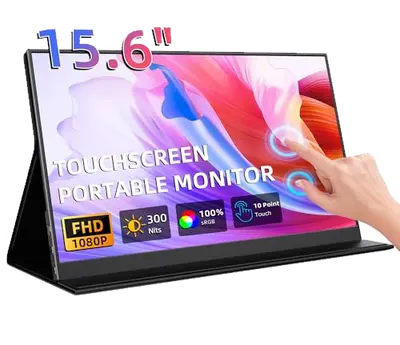
Standalone 15.6-inch 1080p touchscreen with 300 nits and 100% sRGB
More Pornitor products and today's prices
See all Pornitor products on AmazonAs an Amazon Associate I earn from qualifying purchases.
Pornitor covers laptop screen extenders and one portable monitor. The extenders are grouped by how many panels they add: a multi-screen group with the stacked dual and the triple, a group of 14-inch dual extenders, and a group of single 15.6-inch screens that includes the touchscreen monitor. Start by checking that your laptop's USB-C port supports DisplayPort Alt Mode, or that it has HDMI. Then match the laptop's screen size to the range each model lists, and decide how many extra panels you want. Mac buyers should note the maker's chip limits for split screen. Most models list 1080p IPS panels, and the ones that state brightness give 300 nits, which suits indoor use more than direct sun.