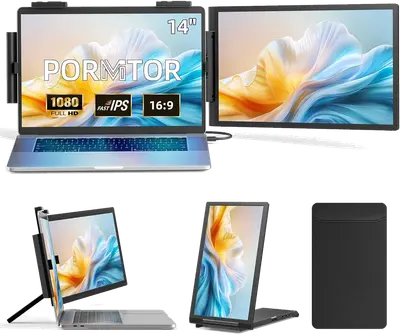
For 14–15.6 in laptops
C140 Dual Extender USB-C/HDMI 14-inch
by Pornitor
Independent guide. Not the official Pornitor site.
A 14-inch 1080p IPS screen extender for 14 to 15.6-inch laptops, connecting by USB-C or HDMI and weighing 2.08 lb.
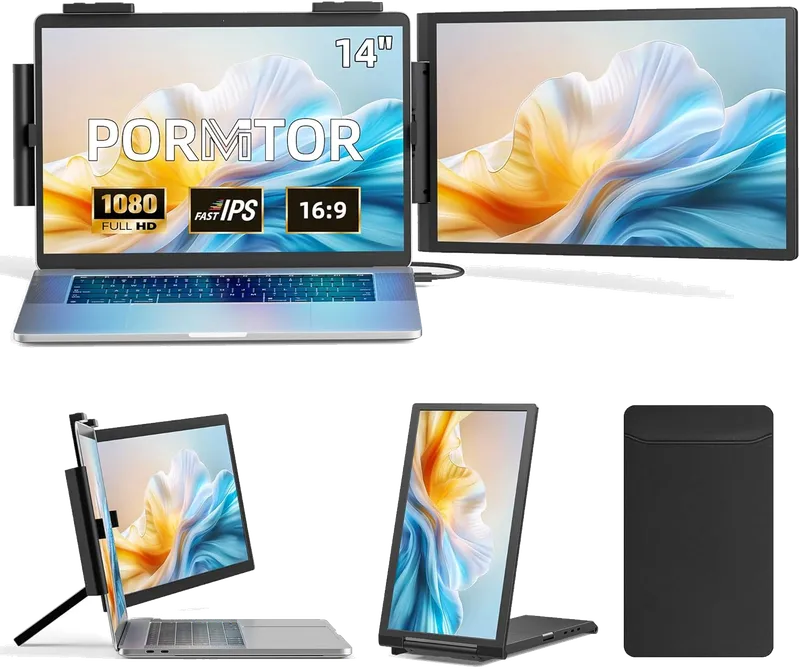
Today's price and delivery date are shown on Amazon.
Check price on Amazon Read customer reviews on AmazonAs an Amazon Associate I earn from qualifying purchases.
Is it the right one for you?
Choose it if
- Your laptop has a 14 to 15.6-inch screen, the size range the maker names for this extender.
- You want a choice of USB-C or HDMI, since both cables are in the box.
- You need to rotate the panel into portrait for documents or code, which the 250° hinge allows.
- You carry your setup around and want a 2.08 lb unit that comes with its own carry bag.
Pick another if
- You want a larger 15.6-inch single screen on the back of your laptop → Z156Y21D Single Extender 15.6-inch
- You want more than two screens, in a triple extender → Z140 Triple Extender 14-inch
- You want a stand-alone 15.6-inch monitor with touch input → Touchscreen Portable Monitor 15.6-inch
Key numbers
14 inScreen size
2.08 lbWeight
1920×1080Resolution
300 nitsBrightness
Before you buy
- Check that your laptop's USB-C port supports DisplayPort Alt Mode (a full-function port). A USB-C port that only handles data or charging will leave the screen dark. If your laptop has two USB-C ports, try both.
- If you connect over HDMI, plug in the included power cable as well, because HDMI carries video only.
- Look at your laptop screen size: the maker lists this model for 14 to 15.6-inch laptops. Hinge firmness also matters, since a loose hinge can let the screen tilt back under the extra weight.
- Macs are listed as supported, but only through a port that outputs video. Check your Mac's specs for how many external displays it allows before you order.
- The panel is 300 nits, which suits indoor rooms and shade. In direct sunlight you will want to find cover.
- The extender is plug and play, so no drivers are needed. You will still open your display settings once to choose extend or mirror mode and set the screen position.
- The refresh rate is 60 Hz, fine for documents, video and casual play, but not aimed at competitive gaming.
Why it works
USB-C or HDMI connection
Both a USB-C to USB-C cable and an HDMI to mini HDMI cable are included, so you can pick the one your laptop supports.
250° rotation hinge
The maker says the screen rotates 250°, which covers landscape and portrait layouts.
IPS 1080p panel
The 14-inch IPS screen runs 1920×1080 with a 178-degree viewing angle and a matte finish.
Extend or mirror
You can give the second screen its own content in extend mode or copy your laptop in mirror mode, set in the OS display settings.
Works beyond laptops
The maker lists laptops, smartphones and gaming consoles as compatible, provided the device has a full-function USB-C port with video output.
Carry bag in the box
A carry bag comes with it to protect the screen while you travel.
Specifications
| Screen size | 14 inches |
|---|---|
| Resolution | 1920×1080 (FHD) |
| Panel | IPS, matte finish, 178-degree viewing angle |
| Brightness | 300 nits |
| Refresh rate | 60 Hz |
| Weight | 2.08 lb (940 g) |
| Ports | USB-C, mini HDMI |
| Model number | C140 |
What's in the box
- Laptop screen extender
- Carry bag
- Adapter
- USB-C to USB-C cable
- HDMI to mini HDMI cable
- USB-A to USB-C cable
Questions & answers
Will it fit my laptop?
It is made for laptops with 14 to 15.6-inch screens. The laptop's hinge should also be firm enough to carry the added weight without tilting back.
Why does it show No Signal?Most often the USB-C port does not support DisplayPort Alt Mode. Try your other USB-C port, or switch to the HDMI cable and plug in the power cable too.
Does it work with a Mac?Yes, the maker lists Mac as a supported system, as long as the port you use is a full-function USB-C port that outputs video. Check your Mac's spec sheet for its external display limits first.
Do I need to install drivers?No, the maker describes it as plug and play with no drivers or software. You will still adjust extend or mirror mode in your display settings.
What comes in the box?The box holds the extender, a carry bag, an adapter, a USB-C to USB-C cable, an HDMI to mini HDMI cable and a USB-A to USB-C cable.
Can I use it with a game console or phone?Yes, the maker lists gaming consoles, smartphones and handheld gaming devices as compatible when they have a full-function USB-C port that supports video output.
Is there a warranty?Yes, it carries a 1 year manufacturer warranty.
Compare Pornitor models
| C140 Dual Extender USB-C/HDMI 14-inch | 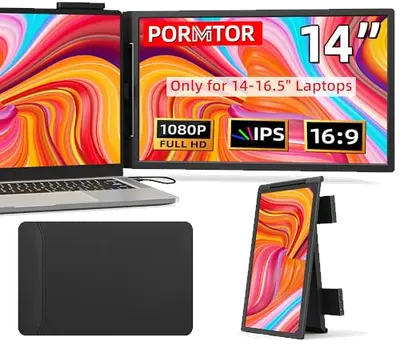 Z140Y21D Dual Extender HDMI 14-inch | |
| Check price on Amazon | Check price on AmazonDetails |